


1A Auto: Parts & Repair Videos
4.3107.00 Reviews
App Specs
- Version
- 2.2.10
- Updated On
- License
- Free
- Downloads
- 100,000+
- Developer
- TRQ Auto Parts
- Categories
- Auto & Vehicles
- Platform
- Android
Screenshots
 Analysis by AppCompare
If you’re deciding whether a car-repair app belongs in your routine, I’d treat it as a workshop companion rather than a substitute for diagnosis or a repair manual. 1A Auto: Parts & Repair Videos brings tutorials and parts shopping together, which is useful when I know what job I’m considering but want help checking the steps and identifying a likely replacement. The key is to use it deliberately: confirm the vehicle, watch before taking anything apart, and keep a separate plan for tools, safety, and unexpected problems.
Building a reliable DIY routine
I find a reliable DIY routine starts with deciding what I need to learn before I open the parts section: am I checking whether a repair looks manageable, or have I already confirmed the failed component? Keeping those questions separate helps prevent a useful tutorial from becoming an excuse to replace the wrong part. Once that distinction is clear, I can build a repeatable preparation habit around the vehicle and repair I’m actually dealing with.
Start with the vehicle, not the repair title
When I’m looking for guidance, I begin by choosing the make and model rather than searching by a broad symptom alone. A video about replacing a component can look relevant while showing a different vehicle layout, fastener, or access route. Matching the vehicle first narrows the material to something more useful, but I still compare what I see on screen with the car in front of me before following a step.
A practical habit is to watch the full tutorial once before gathering tools. That first pass helps me judge whether the job is within my comfort zone and whether it appears to require access or equipment I don’t have. On a second pass, I can pause at the relevant stages and use the sequence as a reference. This is more dependable than stopping midway through a repair to discover that a later step requires a tool I can’t supply.
Make the videos part of preparation
The repair library is most useful before a job begins. I’d use it to understand the order of operations, notice where a component sits, and identify points where care is needed. A tutorial can make a task feel manageable, but watching a repair is not the same as confirming the cause of a fault. If I’m unsure whether a part has actually failed, I’d diagnose that separately before ordering anything or dismantling the car.
For a routine weekend job, I’d write down the parts and tools that seem necessary while watching, then check the vehicle again before buying. I also keep track of clips or steps that I want to revisit, rather than assuming I’ll remember them after the app is closed. The benefit is less backtracking once I’m working, and the trade-off is that the app supports preparation rather than replacing a careful checklist of my own.
Use parts browsing as a cross-check
The parts area makes sense when I’m already narrowing down a repair. Compatibility notes can help me compare a candidate part with the selected vehicle, but I wouldn’t treat a listing as a diagnosis or skip checking the exact configuration of the car. If two versions of a vehicle use different components, a broad match can still be the wrong one for a particular build. Before ordering, I’d compare the listing details with the vehicle and the repair I’m planning.
Worth Reading Before You Choose

EA SPORTS FC Mobile 26 Is a Bigger Football Game, but It Takes Time

Flipboard Shows What News Apps Must Do Beyond the Feed

Switching to Android Auto Means Rethinking Your Driving Routine

Google Calendar Makes a Crowded Week Easier to Manage

Ludo King Makes the Most of the Minutes Between Plans

Baby Panda World Brings Quick Play to Modern Phones, but Its Game Library Feels Busy
This pairing of tutorials and shopping is convenient, though it naturally keeps the workflow within one retailer’s catalog. I’d use it to see whether a likely replacement is available and to understand how it fits into a repair, then compare options if price, brand, or a specific specification matters most to me. The convenience is strongest when I want guidance and a compatible part in the same place; it matters less when I already have a trusted supplier or need to compare a wide range of sellers.
Know when to pause
DIY confidence should have limits. If a tutorial’s vehicle details don’t match, if the job involves safety-critical systems I’m not equipped to handle, or if the repair reveals damage beyond the original problem, I’d stop rather than improvise. A video can show a sequence, but it cannot inspect my car or take responsibility for a decision made in the garage. For uncertain symptoms or work that calls for specialist equipment, a qualified mechanic is the more sensible alternative.
I’d also plan for the ordinary realities of working on a car: parts may be stuck, access may be tighter than it looks, and the actual condition can differ from what a video demonstrates. That doesn’t make the app unhelpful; it means I use it as one source of guidance, keep the work area safe, and avoid starting a repair when I can’t leave the vehicle in a secure state if the job takes longer than expected.
Who benefits most from this approach?
This setup suits owners who like doing straightforward maintenance and repairs themselves, especially people who want visual guidance before committing to a task. It can also help a newer DIYer learn the vocabulary and basic sequence involved in a job, provided they’re willing to verify details rather than copy a video blindly. Experienced users may find it handy as a quick reference and a way to connect a repair idea with parts browsing.
It’s a weaker fit for someone who only needs a one-off fault diagnosis, expects a mechanic to come to them, or wants a neutral comparison across every parts seller. It also won’t turn a complex repair into an easy one just because a tutorial exists. If I’m not comfortable lifting a vehicle, handling a difficult component, or judging whether a repair is safe, I’d choose professional service instead of relying on an app to bridge that gap.
A realistic weekend workflow
Imagine I notice a light has stopped working and want to see whether replacing it is a job I can handle. I’d first select the vehicle, find the relevant tutorial, and watch the whole sequence before touching anything. I’d check whether the video’s setup resembles my car, note the steps and parts it shows, and compare a candidate listing with the vehicle details. Only after that would I decide whether to proceed, gather what I need, and set aside enough time to finish without rushing.
If the access is different from the tutorial or I find a broken connector rather than the expected issue, I’d pause and reassess. That moment is where a repeatable habit matters more than speed: don’t force a part, don’t assume the first suspected cause is correct, and don’t keep dismantling just because the video continues. The app can help me prepare for the likely repair; it can’t guarantee that the car will present the same problem or that the job will stay within its original scope.
How it fits beside other resources
Compared with a general video platform, a repair-focused library organized around vehicles can make it quicker to get to relevant instruction and reduce the noise of unrelated results. The advantage is focus; the limitation is that I may still want a second source when a detail is unclear or when I need broader diagnostic context. A vehicle-specific service manual may be better for precise specifications, while a mechanic is the better choice when diagnosis or safe execution is beyond my experience.
Likewise, a dedicated parts marketplace may be preferable if I’m comparing many sellers or already know the exact component I need. Here, the appeal is the connection between learning about a repair and browsing parts in one app. I’d regard that as a useful workflow, not proof that every listed part is the right choice or the best option for every budget. Keeping those roles distinct helps me benefit from the convenience without letting convenience make the decision for me.
Settings and repeatable habits are worth checking in a simple way: make sure the selected vehicle is the one you’re working on, return to that vehicle when comparing tutorials and parts, and keep your own notes for steps or details you need to verify. I wouldn’t assume a shortcut, saved preference, or special tool exists unless it is plainly available in the app. A consistent routine—select, review, verify, then act—is a more dependable speed-up than trying to rush through a repair.
As an Auto & Vehicles app from TRQ Auto Parts, 1A Auto is free and rated for Everyone. It has a 4.3 average from around 274 ratings, with over 100K installs, and version 2.2.9 supports Android 7.0 or newer. It was released on September 13, 2022. Those figures give a sense of its standing, but my recommendation depends more on whether its repair-and-parts workflow matches the way you maintain a car.
Getting Started with 1A Auto
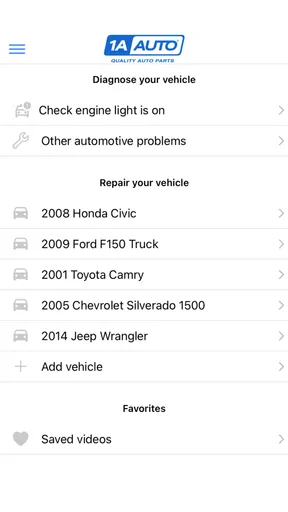
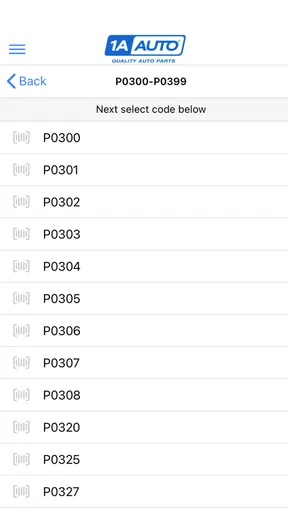
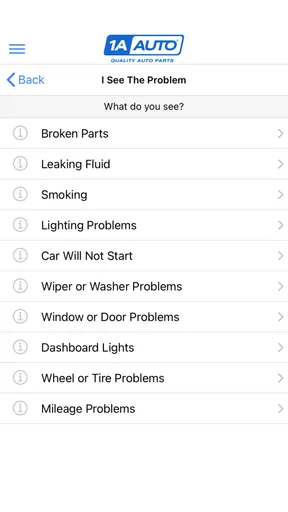
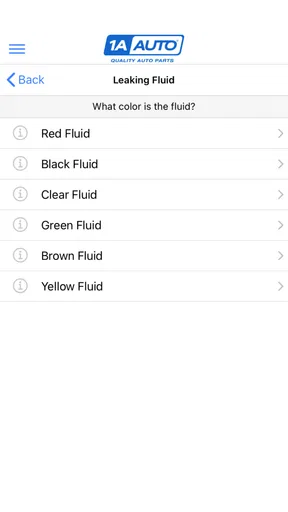
First things first, let’s talk about the interface. When you fire up the app, you're greeted with a clean and user-friendly layout. Trust me, even if you’re not a tech whiz, navigating through 1A Auto is a breeze. The home screen is neatly divided into sections like 'Repair Videos', 'Parts', and 'Support', making it super easy to jump right into what you need.
Repair Videos Galore
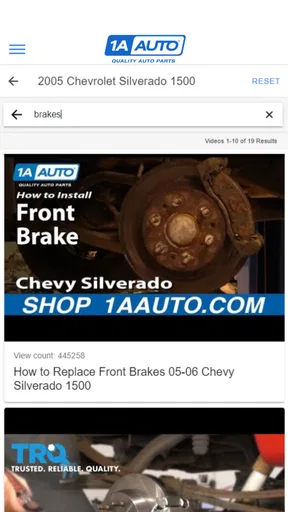
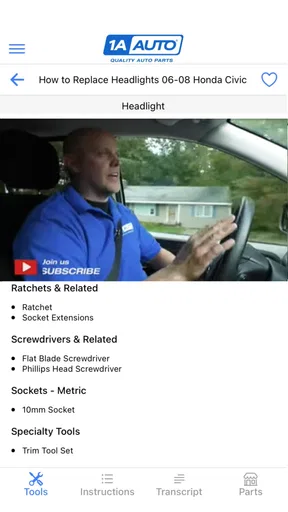
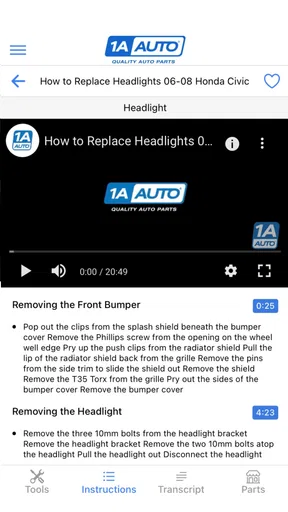
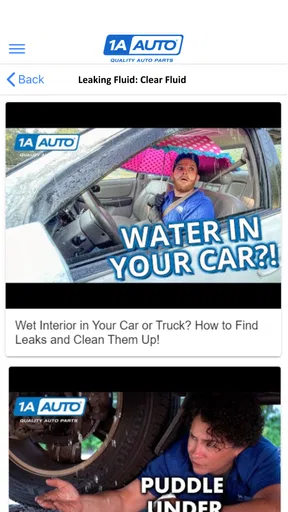
One of the standout features of this app is its extensive library of repair videos. Seriously, it’s like having a YouTube channel dedicated entirely to car repairs right at your fingertips. Whether you’re trying to fix a pesky brake issue or need to replace a headlight, there’s a video for just about everything. The videos are detailed and straightforward, often breaking down complex tasks into manageable steps. The best part? They’re all free!
The videos are organized by vehicle make and model, so finding the right one for your car is as easy as pie. Just select your vehicle, and voilà, you’ve got a list of relevant tutorials. It’s perfect for both seasoned DIY-ers and those just starting out.
Shopping for Parts
Now, let’s talk parts. The app doesn’t just stop at showing you how to fix things; it also helps you get your hands on the parts you need. The 'Parts' section is seamlessly integrated with their online store, allowing you to browse and purchase directly through the app. What I appreciate here is the variety. They offer everything from basic replacement parts to more specialized components.
Each part listing includes detailed information and compatibility notes. This means you won’t end up with a part that doesn’t fit your vehicle—a mistake I’ve made one too many times in the past. Plus, they often have special deals and discounts, which is a nice bonus.
Customer Support at Your Fingertips
If you run into any snags, the app’s 'Support' section is your go-to. It’s packed with FAQs and troubleshooting guides, and if you still need help, there’s an option to contact their customer service directly. Their team is pretty responsive and genuinely seems to care about getting you back on the road.
Another neat feature is the community forum. Here, you can connect with other car enthusiasts, swap tips, or get advice on tricky repairs. It’s a friendly space, and you’ll often find seasoned pros and newbies helping each other out.
Final Thoughts
All in all, 1A Auto: Parts & Repair Videos is a must-have for anyone who loves working on cars. It combines the convenience of easy access to repair videos with the practicality of a parts store, all wrapped up in a user-friendly package. Whether you're a seasoned mechanic or a weekend warrior, this app is worth checking out. So, ready to roll up your sleeves and get to work? Download 1A Auto today and let the DIY adventure begin!
Pros
- Extensive library of repair videos.
- User-friendly interface with easy navigation.
- Wide variety of auto parts available.
- Regular updates with new content.
- Helpful customer support team.
Cons
- Limited to certain car models.
- Some videos lack detailed explanations.
- Occasional app crashes reported.
- Parts can be out of stock.
- Search function can be improved.
FAQs for 1A Auto: Parts & Repair Videos
What is 1A Auto: Parts & Repair Videos and how can it help me?
1A Auto: Parts & Repair Videos is an app designed to assist car owners and DIY enthusiasts with automotive repairs. It offers a wide range of instructional videos and parts listings to guide users through various repair tasks. Whether you're tackling simple maintenance or more complex repairs, this app provides step-by-step guidance to help you get the job done efficiently.
Are the repair videos suitable for beginners?
Yes, the repair videos in the 1A Auto app are crafted to be user-friendly, catering to both beginners and experienced users. Each video offers clear, step-by-step instructions, covering a wide range of vehicles and repair tasks. Whether you’re a novice or a seasoned DIY mechanic, you'll find the guidance you need to complete repairs confidently.
Does the app provide information on where to purchase auto parts?
Absolutely, 1A Auto: Parts & Repair Videos not only guides you through repairs but also offers links to purchase the necessary auto parts directly. The app ensures that you have access to quality parts that fit your specific vehicle model, making the repair process smoother and more efficient without the hassle of searching for compatible parts.
Is there a cost to use 1A Auto: Parts & Repair Videos?
The app itself is free to download, providing access to a vast library of repair videos. However, costs may arise if you choose to purchase auto parts through the app's links. There are no hidden fees for accessing the instructional content, allowing you to explore repairs without any initial financial commitment.
Are the repair videos updated to include the latest vehicle models?
Yes, 1A Auto regularly updates its video library to include the latest vehicle models and repair techniques. This ensures that users have access to the most current information and can perform repairs on newer vehicles with confidence. The app's commitment to up-to-date content makes it a reliable resource for ongoing automotive maintenance.


